Create Passport & Visa Photo Online
Create ICAO compliant passport size biometric photo in 30 seconds
Automated checks against official government specifications for 50+ countries — dimensions, background, face position, eye level — all in under 5 seconds.

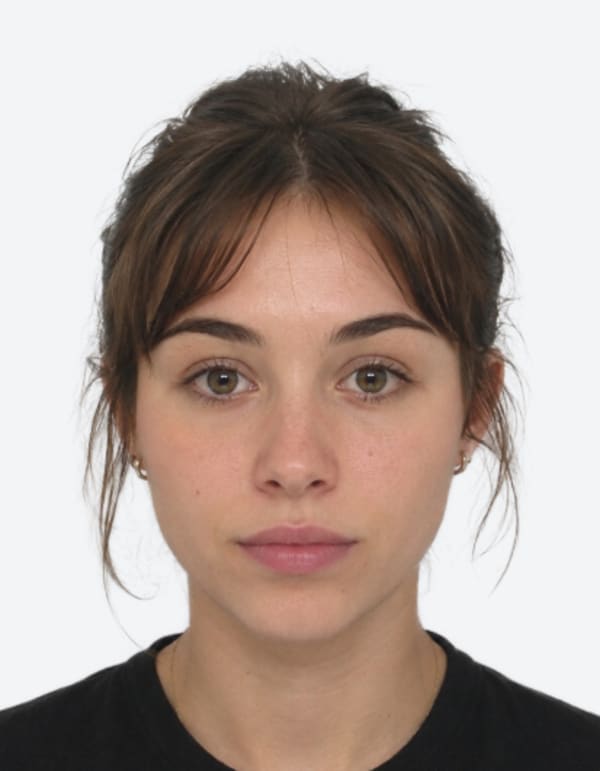
Processed · White background · Biometric crop · Print-ready
See your photo transform
From upload to print-ready — the complete process with biometric compliance built in.
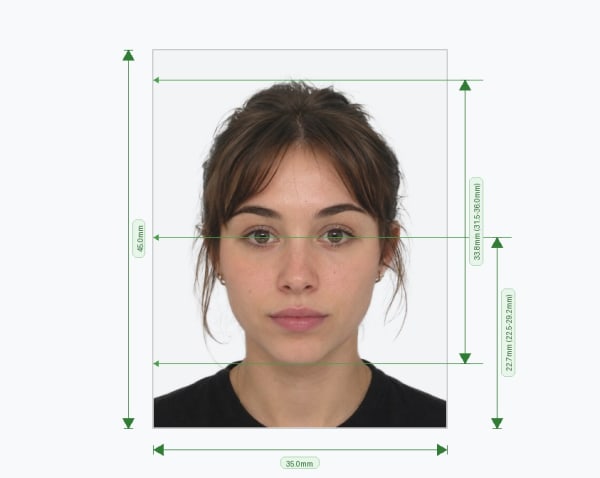
Passport Photo Directory
Browse official 2026 passport photo requirements for 50+ countries. Find the exact size for your application.
View All Countries →Visa Photo Directory
Database of international visa photo specifications. Support for US Visa, UK Visa, Schengen, and more.
Browse Visa Specs →Popular Photo Tools & Guides
Instant biometric photo creation and government requirement checkers.
Passport Photo Maker
Create a biometric passport photo online in under 2 minutes. Automatic background removal and precise cropping for US, UK, EU and 50+ countries.
Passport Size Photo Maker – 35×45 mm Standard and 2×2
Create a passport size photo online. Upload any picture, crop it to the standard size, clean the background and download a sharp, print-ready image.
Passport Photo App
Create passport photos online without downloading an app. Works on any devices with automatic cropping, background removal and 50+ country specs.
Passport Photo Editor
Edit passport photos online with automatic background removal, precise biometric cropping and lighting adjustments. Create photos for 50+ country requirements.
UK Passport Photo Requirements
UK passport photo requirements explained: the official 35×45mm size, 29–34mm head height, cream or light grey background, and every HMPO rule — plus a free crop tool.
Create ICAO Standard Photograph Online for 50+ Countries
Create an ICAO standard photograph online correct size, background, and biometric proportions for visa & passport photo,
ICAO Standard Photo
Create an ICAO compliant photo online. Automatic biometric cropping, background removal and photo checks for passports and visas.
ICAO Compliant Photo
Check and create an ICAO compliant photo online. Verify head proportions, background, lighting and biometric resolution with automatic photo checks.
Create Icao Standard Dubai Visa Photo
Create ICAO Compliant Dubai visa photo online that meets official ICP and GDRFA size and background requirements. Check dimensions, specs, and download a compliant photo instantly.
Create China Visa Photo online 354 x 472 pixels
Create a China visa photo online that meets the official 33x48mm size and background requirements set by the Chinese Embassy and Visa Application Service Center. Check specs and download instantly.
2x2 Picture Editor
Turn any photo into a 2x2 inch passport or visa picture. Free to try: auto-crop, white background and size check for US visas, DS-160 and green cards.
Take Passport Photo at Home: Online Tool for Every Country
Take a passport photo at home with your phone. Upload a photo, fix the background and size automatically, and download a compliant passport photo in minutes.
How to Take a Passport Photo With iPhone: US, UK, Canada & Australia
Take a passport photo with your iPhone the right way. Check US, UK, Canada and Australia rules, then create a compliant photo online.
US Passport Photo Checker & 2×2 Maker
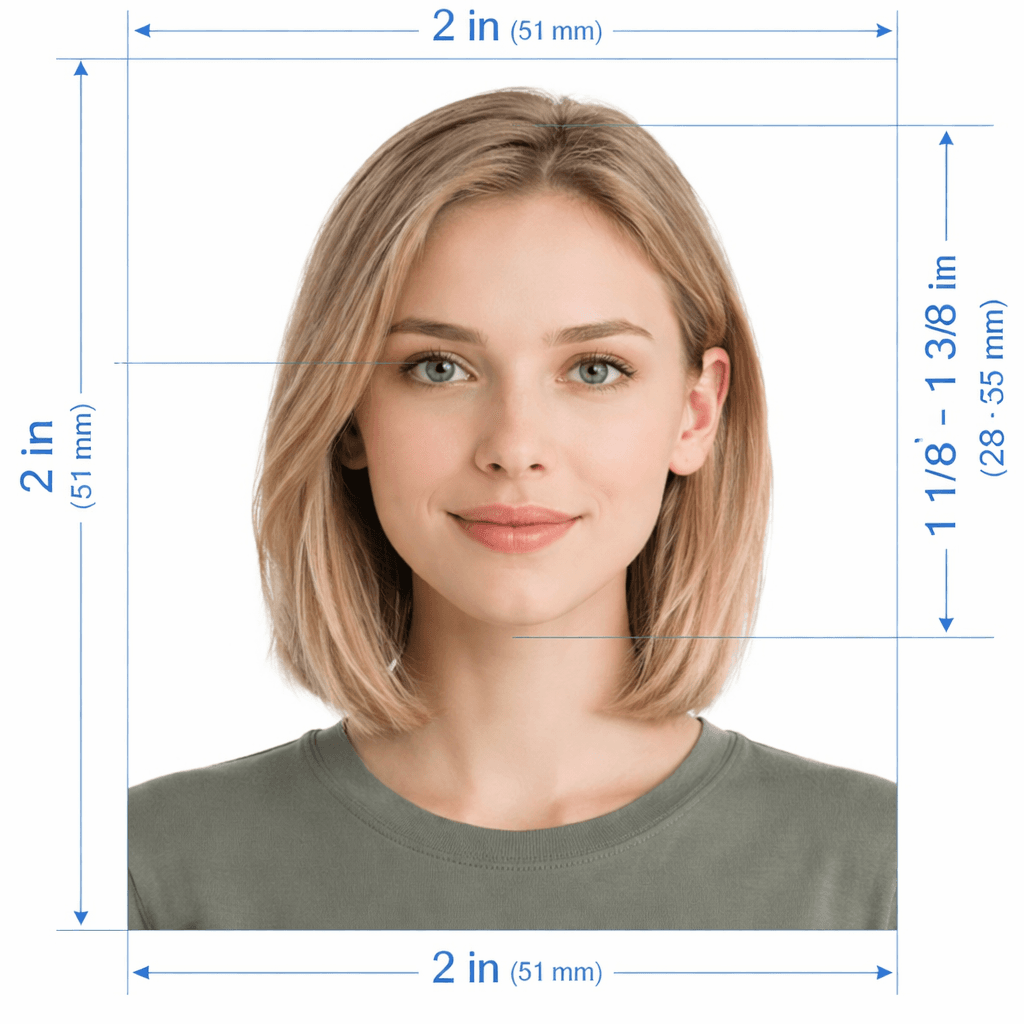
Convert any selfie to official 2 × 2 inch (51 × 51 mm) US passport and visa photos with instant rejection checks.
UK Passport Size Photo Maker
Create a compliant UK passport or visa photo online. Automatic biometric checks and background removal.
Passport Photo Checker
Universal compliance validator for 50+ countries. Instant biometric PASS/FAIL report.
Green Card Photo Checker
Check 2×2 inch photos for USCIS forms like I-485, I-130 and I-765 before you file.
Australian Passport Photo Checker
Verify DFAT & APO rules: 35×45mm, 32–36mm face height, plain white background, and no glasses.
DV Lottery Photo Checker
Official US Green Card lottery 600×600 px photo validation: 50–69% head ratio, zero eyewear.
Singapore Passport Photo
Official 35 × 45 mm (413 × 531 px) ICA-approved photo maker with instant background whitening.
Resize Singapore Photo
Crop and resize any selfie to Singapore ICA specifications for MyICA, NRIC & Visas.
Singapore ICA Photo Guide
Complete guidelines and online tool for Singapore Immigration & Checkpoints Authority uploads.
Singapore Passport Photo Maker
Make 35 × 45 mm (413 × 531 px) biometric photos with pure white background for MyICA online.
Indian Passport Size Photograph
Official 45 × 35 mm (630 × 810 px) ICAO compliant photo tool for Indian passport applications.
How to Create a Compliant Biometric Photo Online
From upload to compliant photo in under a minute.
Official 2026 Global Document Photo Specifications
Every photo is validated against official ICAO and government-specific biometric requirements.
Straight from Official Government Sources
Every requirement we enforce comes directly from official global publications, including the European Commission, HMPO, and the Department of State.
PixPassport automatically adjusts your images to comply with the global specifications above.
Common Biometric Photo Mistakes
Consulates and embassies reject thousands of applications annually due to non-compliant photos. Here are the most frequent failures — and what our system checks for each one.
How to Take a Perfect Photo at Home
You don't need a professional photographer. Follow these evidence-based tips and your smartphone photo will pass every official biometric check.
Built With Trust & Security
Quality Matters Most
- ✓ Pixel-Level Integrity (No artifacts)
- ✓ Pure RGB 255 White Background
- ✓ Standardized Eye Level (56-69%)
- ✓ Head Height Alignment (50-69%)
- ✓ Luminance Balance Analysis
- ✓ Strict 64-Point Biometric Scan
Passport & Visa Photo Size Guide: ICAO Standards for 50+ Countries
Every year, thousands of passport and visa applications are delayed because of a photo that doesn't meet size or background rules. PixPassport is a free online passport photo checker that crops, resizes, and validates your photo against official ICAO standard photo requirements in seconds — no photo studio needed. Not sure if your photo will pass? Run it through our universal passport photo checker or our free ICAO photo validator before you submit anything.
Passport photo size by country: requirements vary more than most applicants expect. A UK passport photo must be 35x45mm (test it with our UK passport photo checker), Australian applications require 35x45mm with strict 32–36mm face height (verify with our Australian passport photo checker), US Green Card applicants need exact 600x600 px digital squares (use our DV lottery photo checker), and the Sri Lanka passport photo size follows the standard 45x35mm ICAO format. We also support exact specs for New Zealand visa photos, France visa photos (updated for 2026), China visa photo crops, and Schengen visa applications — so you don't have to dig through embassy PDFs to find the right dimensions.
UK applicants: use our UK passport photo checker to confirm your photo meets HMPO rules before you upload it to the gov.uk service — see our UK visa photo requirements guide for a full breakdown. Applying from China? Our China visa photo editor crops your image to the exact required ratio automatically.
Singapore & Asia-Pacific applicants: prepare your MyICA submissions with our dedicated Singapore passport photo maker, resize any selfie with our Singapore photo resizer, or inspect exact specifications with our 413x531 pixel dimension guide and ICA photo requirements.
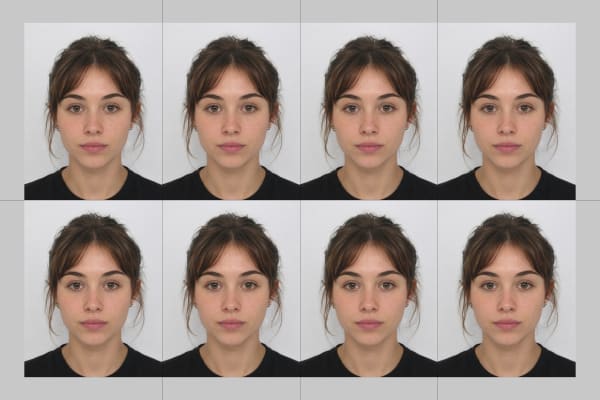
Once your photo passes, you can download a print-ready file or use our passport photo print template to print multiple copies of your passport photo on a single A4 sheet at any pharmacy or print shop. Explore country-specific tools in our Singapore, India and UK passport photo editors, or read more in our guides and FAQ.
Frequently Asked Questions
Yes! Our online passport and visa photo checker is 100% free for all supported countries. You only pay a small fee if you want to download the processed, fully compliant photo and a home-printable sheet.
ICAO (International Civil Aviation Organization) sets the global biometric standard used by passport and visa authorities worldwide — covering head size, eye position, neutral background, lighting, and expression. We validate every upload against these ICAO standard photo rules automatically, so you know it will be accepted before you pay.
Yes. Upload your photo and our free UK passport photo checker instantly confirms it meets HMPO's 35x45mm size, background, and biometric requirements — so you can be confident before submitting to the gov.uk passport service.
Yes. Once your photo passes validation, you can download a print-ready sheet with multiple copies of your passport photo arranged for standard A4 or Letter paper, ready to print at home or at any pharmacy or print shop.
The Sri Lanka passport photo size follows the standard ICAO format of 45x35mm, with a plain white background and a neutral expression. Select Sri Lanka in our tool and we'll automatically crop and scale your photo to the correct size.
New Zealand visa photos generally follow the standard ICAO passport photo dimensions with a plain white or light-colored background. Choose New Zealand in our tool and we'll size, crop, and check your photo against the current requirements automatically.
France visa and Schengen visa photos require a 35x45mm size with a neutral, light-colored background, following the latest 2026 guidance. Our tool crops and validates your photo to this exact spec so it's accepted the first time.
A US passport and visa photo (including DS-160 applications) must be 2x2 inches (600x600px) with a plain white background. Our US visa photo editor resizes and validates your photo to this exact specification automatically.
Chinese visa photos require a specific size and background that differ slightly from standard ICAO rules. Our China visa photo editor automatically crops, resizes, and checks your photo against these requirements, so there's no manual guesswork.
Absolutely. All original photos are automatically and permanently deleted after 24 hours. Download links expire after 1 hour. We are fully GDPR and CCPA compliant.