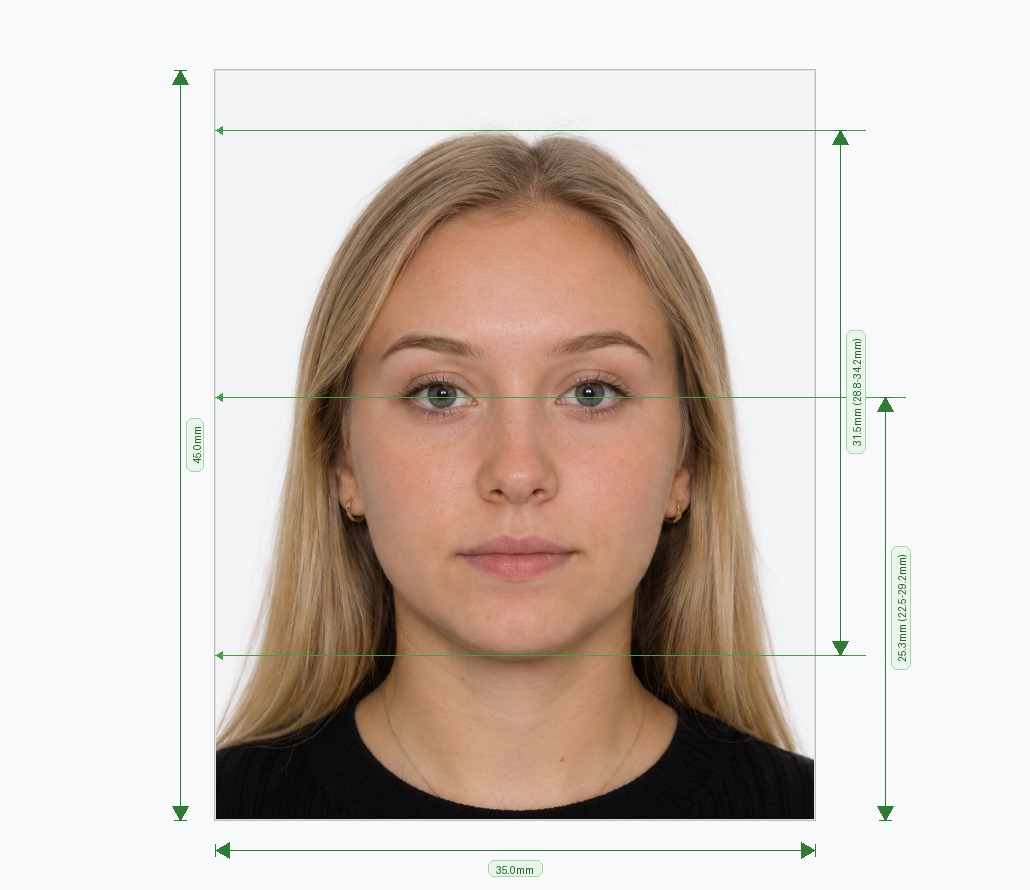
A Passport Photo App That Works Right in Your Browser — No Install Required
Most passport photo apps require you to download software, create an account, or pay before you see any result. Our free passport photo app works entirely in your browser — on iPhone, Android, tablet, or desktop — with no download, no installation, and no account needed. Open the page, upload your photo, and receive a government-compliant biometric passport photo in under two minutes. The system handles background removal, precise cropping, and all 30+ compliance checks automatically, so you get it right the first time.
How to Use the Passport Photo App — 3 Steps
Our browser-based passport photo app is designed to be fast, simple, and accessible from any device.
- Choose Your Country & Document: Select your target country and document type — US passport, UK passport, Schengen visa, Indian visa, national ID, and more. The app loads the exact official biometric specifications for over 100 countries instantly.
- Upload or Take a Photo: On mobile, use your camera directly within the app. On desktop, drag and drop a file or browse your device. Any background is fine — face the camera with a neutral expression and your full face visible.
- Download Your Compliant Photo: The app detects your face, removes the background, applies the correct background color, and crops to exact government dimensions. Download a high-resolution digital file for online forms, or a 4×6 inch print sheet for physical submissions.
What Makes This Passport Photo App Different from Others?
The app market is crowded with passport photo tools — many charge upfront, require an account, produce watermarked previews, or only work on one platform. Here is what sets our tool apart.
- No Download or App Store Required: Our passport photo app runs entirely in the browser. There is nothing to install on your iPhone, Android phone, or computer — just open the page and it works.
- Works on All Devices: The app is fully responsive and tested on iOS Safari, Android Chrome, and all major desktop browsers. Take a photo directly from your phone camera or upload from your gallery — both options are available on mobile.
- AI Background Removal: Point-and-shoot against any background. The system isolates your face and replaces it with the officially required white, off-white, light grey, or light blue — whichever your selected country demands.
- Biometric Facial Cropping: Using facial landmark detection, the app positions your head within the exact proportions required by government guidelines — not just a generic crop, but a measurement-accurate frame that passes embassy checks.
- 30+ Automated Compliance Checks: Before download, the app validates lighting uniformity, resolution (minimum 600 DPI for print), eye openness, head tilt, shadow presence, and more — the same criteria used by passport offices and automated border control systems.
- Instant Print & Digital Formats: Get a 4×6 print template with multiple photos, plus a standalone digital file for online applications like the US DS-160, UK passport renewal portal, and Schengen visa submission systems.
Which Devices Does the Passport Photo App Support?
Our online passport photo app is built to work seamlessly across every major platform and screen size.
- iPhone & iPad (iOS): Fully compatible with Safari and Chrome on all modern iOS devices. Use your iPhone camera directly within the app to take a fresh photo, or upload from your Photos library.
- Android phones & tablets: Works on Chrome, Firefox, and Samsung Internet. Capture a new photo using your Android camera or select an existing image from your gallery.
- Windows & Mac desktop: Upload photos from your computer using drag-and-drop or the file browser. Ideal if you already have a good photo saved and just need it properly cropped and background-removed.
- No app store, no account, no waiting: Because the tool runs in the browser, there is nothing to update, no storage used on your device, and no privacy concerns about a third-party app holding your photos.
Countries & Documents Supported
The passport photo app supports official biometric specifications for over 100 countries, including the United States, United Kingdom, Canada, Australia, India, Germany, France, the UAE, and all Schengen zone members. Supported document types include passports, tourist visas, work visas, student visas, national identity cards, driving licences, and residence permits. Every country profile is maintained against the latest official government guidelines so you are never working from outdated specifications.
Frequently Asked Questions
Avoid Passport & Visa Photo Rejections
Our automatic AI tool fixes background shadows, crops to exact millimeter specs (2x2" or 35x45mm), and guarantees 100% biometric compliance.
Create & Fix My Photo Now