Resize Your Photo to Singapore Passport Size
Crop and resize any photo to the 35:45 passport shape, with no editing app and no guesswork.
Upload a photo and the resizer crops it around your face, keeps the correct 7:9 shape, and gives you a file well inside ICA's 8 MB upload limit.
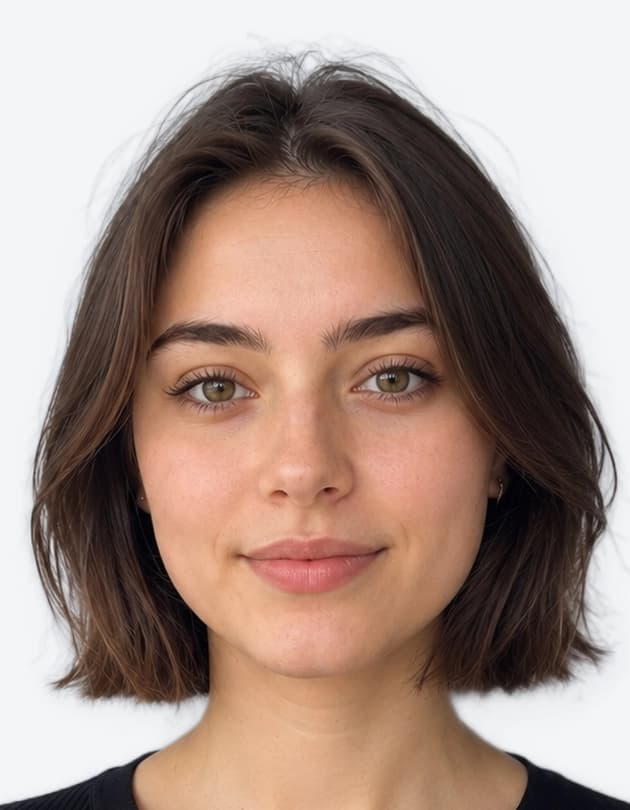 ✓ 35 × 45 mm · White background
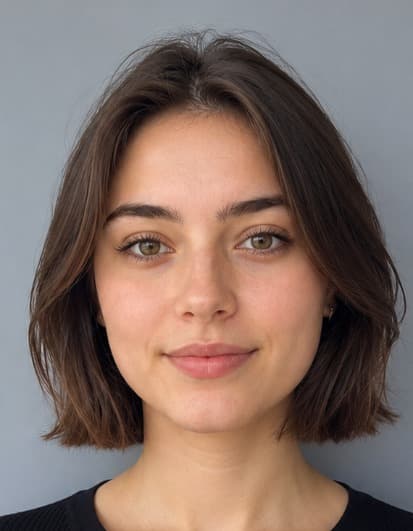 Original Selfie
Drag slider left or right to compare transformation
Quick Answer: How to Resize a Passport Photo for Singapore
Crop the photo to a 35:45 shape around your head and shoulders, then scale it down to 400 × 514 pixels, the size ICA recommends for e-Service uploads. Save it as JPG, HEIC or PNG under 8 MB. Don't retouch it: ICA does not accept altered photos.
How the Singapore Photo Resizer Works
Upload Your Photo
Use a sharp, full-resolution original, not a screenshot or a photo forwarded through a chat app.
Crop to 35:45
The tool crops around your face to the passport shape, so nothing is stretched or squashed.
Check the Framing
Preview the crop for free and confirm your whole head and the top of your shoulders are in frame.
Download
Get a JPEG well under ICA's 8 MB limit, plus a 4×6 inch print sheet.
400 × 514 or 413 × 531 Pixels?
You will see both sizes quoted online. 413 × 531 px is the printed 35 × 45 mm photo converted at 300 DPI. 400 × 514 px is the size ICA itself recommends for photos uploaded through its e-Services. If you are uploading to ICA, use 400 × 514 px.
Both sizes share the same 7:9 shape, so the crop that matters is the same: your head and the top of your shoulders, centred, with a little space above your hair. Get the shape right first, and the pixel count is just a final scaling step.
| File setting | What to use |
|---|---|
| Pixel size (ICA e-Service) | 400 × 514 pixels |
| Shape | 35:45 (7:9) portrait |
| File type | JPG, JPEG, HEIC, HEIF or PNG |
| Maximum file size | 8 MB |
| Print size | 35 × 45 mm, on matte or semi-matte (non-reflective) paper |
Source: ICA photo guidelines. Background, pose and lighting rules are covered in our ICA photo requirements guide.
How to Crop a Passport Photo for Singapore
Resizing yourself in a gallery app? Follow these four checks.
Keep the 35:45 shape
Width and height must stay in a 35:45 (7:9) ratio. Any other shape stretches or squeezes your face when it is resized.
Crop before you resize
Cut the photo to the right shape first, then scale it down. Resizing without cropping distorts the image.
Leave space around your head
Keep a little background above your hair and include the top of your shoulders. Don't crop into your chin or hair.
Scale down, never up
Start from a photo larger than 400 × 514 px. Enlarging a small image makes it blurry, which can lead to rejection.
File Mistakes That Ruin a Resized Photo
Screenshots
A screenshot of a photo loses detail and often adds a border or status bar.
Chat-app copies
Photos sent through messaging apps are compressed. Use the original from your camera roll.
Beauty filters
ICA does not allow altered or enhanced photos, so never smooth skin or reshape your face while resizing.
Stretching to fit
Forcing a landscape photo into 400 × 514 px without cropping distorts your face.
Resizing FAQs
Related Singapore Photo Tools & Guides
Guides and tools for Singapore passport, NRIC and visa photos.
Singapore Passport Photo Maker
Make a Singapore passport photo online on a white background, free to preview.
ICA Photo Requirements
What ICA requires for passport, NRIC and pass photos, and why photos get rejected.
Singapore Visa Photo
Photo for a visa to visit Singapore, submitted through ICA's SAVE system.
Passport Photo Print Template
Lay out several 35 × 45 mm photos on one 4×6 inch sheet to print at a photo shop.
Passport Photo Checker
Check a photo you already have before you submit it.
Resize Your Photo for ICA in Seconds
Upload any photo, preview the crop for free, and download your resized file when it looks right.
Free to preview · Download digital file & 4×6" print sheet