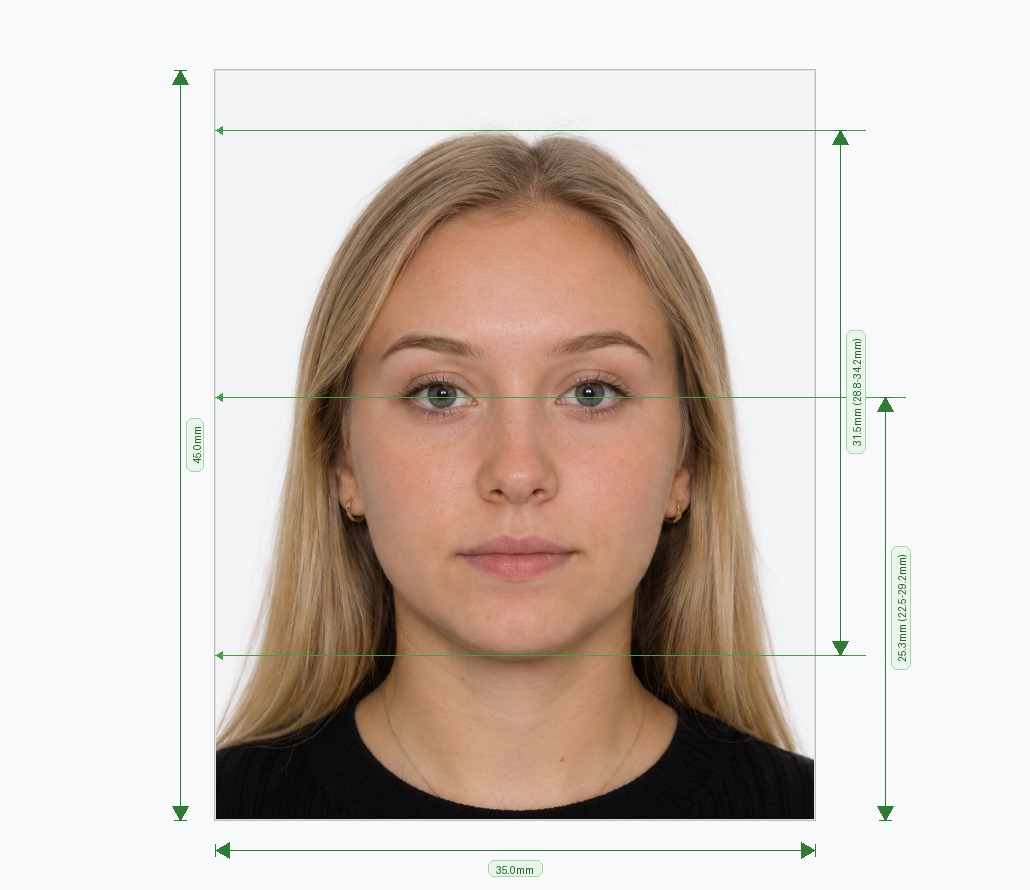
What Is a 2x2 Picture Editor?
A 2x2 picture editor is an online tool that turns any photo into the exact 2 × 2 inch (51 × 51 mm) square that US authorities require. You need this format for US passports, DS-160 and DS-260 applications, green cards and the Diversity Visa (DV) Lottery.
Upload one photo and the editor crops it, centres your face, sets the correct head size and swaps the background for plain white. You do not need a studio visit, editing skills or extra software. Uploading and previewing are free, so you can check the result before you download.
How to Make a 2x2 Photo in 3 Steps
- Upload a photo. Face the camera directly with a neutral expression and even lighting. Any background works, because the tool removes it for you.
- Let the editor apply the specification. It centres your face, scales your head to 1 to 1⅜ inches, aligns your eyes at the correct height and adds a plain white background.
- Download or print. Save a square JPEG under 240 KB for online uploads, or print a 4×6 inch sheet with four ready-to-cut 2×2 inch copies.
2x2 Inch Photo Specifications
US agencies check every photo against strict rules. Your 2x2 photo must match these requirements:
| Requirement | Specification |
|---|---|
| Print size | 2 × 2 inches (51 × 51 mm) |
| Digital size | Square, from 600×600 px up to 1200×1200 px |
| Head height | 1 to 1⅜ inches (25–35 mm), chin to crown |
| Eye height | 1⅛ to 1⅜ inches (28–35 mm) from the bottom of the photo |
| File format | JPEG, 24-bit sRGB colour |
| Max file size | 240 KB |
| Background | Plain white or off-white, no shadows or patterns |
| Expression | Neutral, or a natural smile, with both eyes open |
| Eyeglasses | Not allowed, except in documented medical cases |
| Recency | Taken within the last 6 months |
Digital vs Printed 2x2 Photos
Your application decides which version you need. Online forms such as the DS-160 and the DV Lottery ask for a digital file. Paper applications ask for prints.
- Digital photo: a square JPEG, 600×600 to 1200×1200 pixels, no larger than 240 KB.
- Printed photo: 2 × 2 inches on glossy or matte photo paper, with no creases, stains or borders.
Our editor creates both from one upload, so you can apply online today and keep prints for later.
How to Take a Good Photo Before You Upload
A better source photo gives a better result. Follow these tips and you will pass on the first try:
- Use natural light. Stand facing a window so light falls evenly on your face.
- Avoid shadows. Stand a step away from the wall so your head does not cast a shadow.
- Keep the camera at eye level. Ask a friend to shoot from about 1.5 metres (5 feet) away.
- Face forward. Keep your head level, your eyes open and your shoulders square.
- Remove glasses and hats. Only religious or medical exceptions apply.
- Skip filters. Turn off beauty modes and effects, because authorities reject altered photos.
Which Documents Require a 2x2 Photo?
The same 2x2 inch format applies across most major US travel and immigration documents:
- US passports: new applications and renewals.
- DS-160 nonimmigrant visas: B1/B2, F1/M1/J1, H-1B, L-1, O-1, TN and other categories.
- DS-260 immigrant visas: family-based and employment-based green card applications.
- Diversity Visa (DV) Lottery: the same digital specification applies.
- Some USCIS forms: for example, employment authorization applications may ask for passport-style photos. Read your form instructions to confirm.
Photo Mistakes That Cause Rejections
Most rejections come from a handful of fixable errors. Here is how the editor solves each one:
- Wrong aspect ratio: the editor crops non-square photos to a perfect 1:1 ratio.
- Grey or shadowed background: the editor replaces it with uniform white.
- Head too large or too small: the editor rescales it to the 1 to 1⅜ inch range.
- Oversized file: the editor compresses the file to stay under 240 KB.
- Glasses in the shot: you can spot them in the preview and retake the photo without them.
2x2 Picture Editor vs. a Photo Studio
A studio or pharmacy works, but it costs more time and money. Compare the two options:
| Feature | 2x2 Picture Editor | Studio or Pharmacy |
|---|---|---|
| Time | Under 2 minutes, no travel | Includes travel, queuing and printing |
| Digital file | Included, under 240 KB | Often an extra fee, or unavailable |
| Retakes | Unlimited | Usually one or two shots |
| Background | Replaced automatically | Depends on the studio backdrop |
| Cost | Free to try, pay only to download | Typically $10–$25 |
Official References
Check the official sources for the latest rules before you apply:
Frequently Asked Questions
Avoid Passport & Visa Photo Rejections
Our automatic AI tool fixes background shadows, crops to exact millimeter specs (2x2" or 35x45mm), and guarantees 100% biometric compliance.
Create & Fix My Photo Now