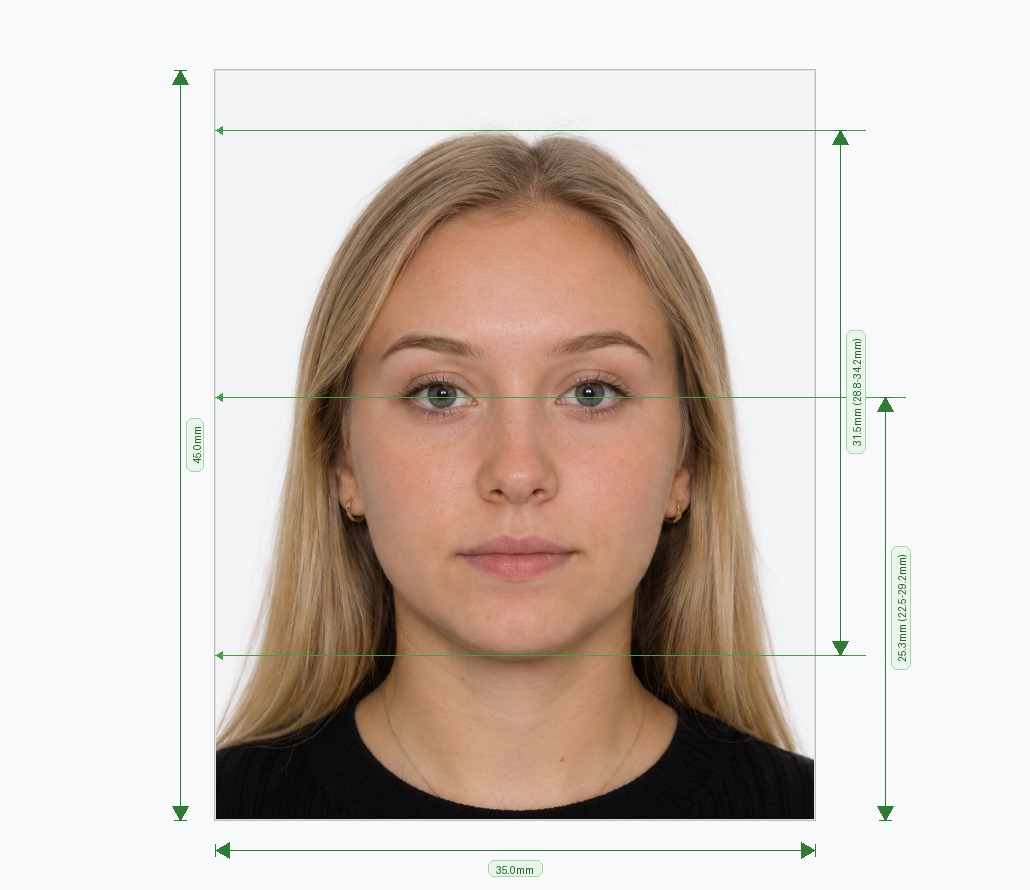
Edit Your Passport Photo Online — Background, Crop, Lighting & More
Already have a photo but the background is the wrong color? Head position slightly off? Lighting uneven? Our free passport photo editor lets you fix the most common passport photo problems in seconds — no Photoshop, no design skills, and no software to download. Upload your existing photo, select your country and document type, and the editor automatically corrects the background color, re-crops to exact government dimensions, balances the lighting, and runs 30+ compliance checks before you download. The result is a biometric passport photo that meets official requirements for over 100 countries — ready to print or submit digitally.
How to Edit a Passport Photo Online — 3 Steps
Our online passport photo editor handles the technical side automatically. Here is how the process works:
- Select Country & Document Type: Choose your target country and document — US passport, UK passport, Schengen visa, Indian visa, national ID card, and more. The editor loads the exact biometric specifications including required dimensions, background color, and minimum resolution.
- Upload Your Photo: Drag and drop an existing photo or take a new one with your smartphone camera. Any background is fine. The editor works with JPEG, PNG, and HEIC formats from phones, cameras, or scanned prints.
- Edit, Verify & Download: The system editor removes the original background, applies the correct replacement color, re-crops the image to government dimensions, and validates lighting and biometric markers. Preview the result, then download your corrected passport photo.
What Can the Passport Photo Editor Fix?
Unlike a basic crop tool, our editor performs a full set of automated corrections — the same adjustments a professional retoucher would make, applied instantly by AI.
- Wrong Background Color: The most common rejection reason. Whether your photo has a cluttered background, a coloured wall, or an outdoor scene, the editor removes it and replaces it with the officially required white, off-white, light grey, or light blue — depending on your selected country.
- Incorrect Crop or Head Size: Government guidelines specify exactly how much of the frame your head should occupy. The editor uses facial landmark detection to measure your eye line, chin, and crown, then re-crops the image so your head sits within the accepted percentage range.
- Uneven or Harsh Lighting: Shadows across the face or background are a common rejection trigger. The editor detects and corrects lighting imbalances to produce an evenly lit photo that passes automated embassy verification systems.
- Low Resolution or Wrong Output Size: Print submissions require a minimum of 600 DPI. Digital submissions require a specific pixel dimension. The editor outputs at the correct resolution for your chosen document type automatically — no manual resizing needed.
- Red-Eye & Minor Retouching: The editor also corrects red-eye and removes minor artefacts that could cause automated compliance failures, without altering your natural appearance — which is itself a requirement of most biometric standards.
When to Use a Passport Photo Editor vs Starting from Scratch
If you already have a photo where your face is clear, well-lit, and looking straight at the camera, our editor can usually bring it up to full compliance without you needing to take a new photo. The editor is ideal when your only problems are a wrong background, a slightly off crop, or an output size that does not match the document requirements.
If the original photo has your eyes closed, significant head tilt, heavy shadows across the face, glasses that cause glare, or a face that is partially obscured, we recommend taking a fresh photo using the tips below and uploading that instead. Our tool guides you through both scenarios and flags any issues that cannot be automatically corrected.
Tips for Taking a Photo That Edits Perfectly
Even though our passport photo editor can fix most common issues, starting with a good base photo produces the cleanest result.
- Stand facing a window for even, natural lighting — avoid direct sunlight which creates harsh shadows.
- Keep the camera at eye level and at least 1.5 metres (5 feet) away to avoid facial distortion.
- Look directly at the camera with a neutral expression and both eyes fully open.
- Remove glasses — most countries now prohibit eyewear in biometric passport photos.
- Tie back long hair if it covers your ears or the sides of your face.
- Avoid heavily patterned clothing near the neckline, as it can occasionally interfere with edge detection.
Frequently Asked Questions
Avoid Passport & Visa Photo Rejections
Our automatic AI tool fixes background shadows, crops to exact millimeter specs (2x2" or 35x45mm), and guarantees 100% biometric compliance.
Create & Fix My Photo Now