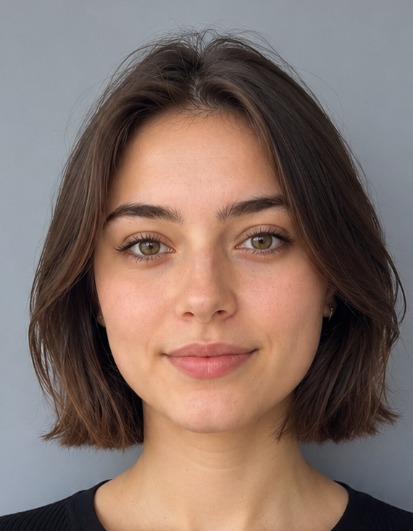
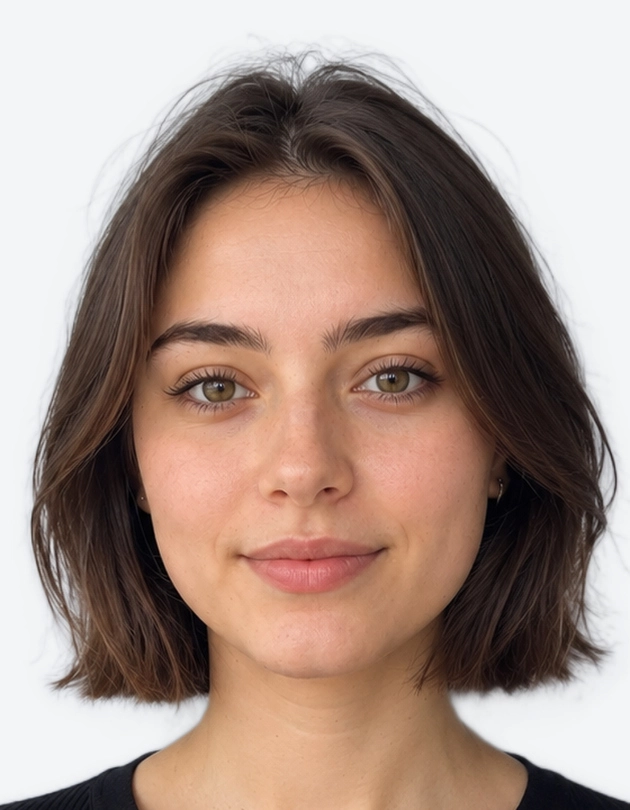
Quick answer: a Canadian passport photo is 50 mm wide x 70 mm high, with your face 31–36 mm from chin to crown, on a plain white or light background. It must be taken in person by a commercial photographer no more than 6 months before you apply. For a paper application, the photographer's details go on the back of one of the two prints. For an online renewal, you upload the photographer's original digital file instead.
How our tool fits: Canada does not accept self-made or edited passport photos, so our online tool cannot replace your photographer for a Canadian passport. Use the free passport photo checker to measure the photographer's print or file before you submit. Use the Canada photo tool for forms that allow you to supply your own photo, such as some IRCC visa and citizenship uploads.
Source: Canada.ca – Passport photo requirements (page modified 23 September 2026).
Canada Passport Photo Specifications at a Glance
| Specification | Printed photo (in person / mail) | Digital photo (online renewal) |
|---|---|---|
| Size | 50 mm x 70 mm (2" x 2¾") | 3:2 portrait ratio, 1,200 x 1,800 px minimum, 3,000 x 4,500 px maximum |
| Face / head size | 31–36 mm chin to crown | Chin to crown 45–50% of image height |
| Quantity | 2 identical, unaltered photos | 1 digital file |
| File / paper | Professionally printed on plain, high-quality photo paper (no home printing, no heavyweight paper) | JPEG (.jpg/.jpeg), 200 KB – 5 MB, original camera file |
| Who takes it | Commercial photographer or studio | Commercial photographer, in person |
| Age of photo | Max. 6 months | Max. 6 months |
| Background | Plain white or light-coloured | Plain white or light-coloured |
| Back of photo / details | Photographer's date + studio name and full address on one photo; guarantor declaration if required | Studio name, address and photo date entered during the online application |
| Scanned prints accepted? | n/a | No |
The 50 x 70 mm size is larger than the 35 x 45 mm used by the UK and Schengen countries and the 2 x 2 inch US format, so a photo taken for another country cannot be reused.
Who Must Take the Photo (and Why a Home Photo Won't Work)
Canada.ca says: go to a commercial photographer or photo studio. The photo must be "an original photo that isn't altered or edited in any way", and printed professionally. Because of this:
- Selfies, phone photos and home-printed photos are not accepted.
- Photos run through background-removal, retouching, filters or AI tools count as altered and will be refused.
- The photographer's identity and studio address are part of the application, on the back of the print or entered online.
Common places that offer Canadian passport photos include independent photo studios, pharmacy photo counters and retail photo centres. Whichever you choose, ask for both a printed set and the digital file. Canada.ca recommends this so you can switch to applying in person or by mail if online renewal doesn't work for you.
Pose, Expression and Lighting
- Face and shoulders centred and square to the camera, not tilted
- Neutral expression: eyes open and visible, looking at the camera, mouth closed, not smiling or frowning
- Uniform lighting with no shadows, glare or flash reflections
- Clear, sharp focus with natural skin tones
- Plain white or light-coloured background with clear contrast to your face
Glasses
Glasses are allowed if your eyes are clearly visible and there is no glare on the lenses. Several 2026 guides wrongly say glasses are banned. The current Canada.ca page does not ban them. Sunglasses and tinted lenses are refused, and Canada.ca says this includes tinted prescription lenses "even when your eyes are clearly visible". If you can't avoid glare, removing your glasses is the simplest fix.
Hair and Head Coverings
Hair must be off your face so its edges are visible. Head coverings are only accepted if worn daily for religious beliefs or medical reasons, with your full face visible and no shadows on it.
Medical Conditions and Accessibility
- Wheelchair users: a white blanket can be placed behind your head.
- Medical headwear or a nasal cannula: include a signed letter explaining why. Your eyes must still be clearly visible, and a doctor's letter may be requested.
- If a medical condition stops you from meeting another rule, explain it in writing with your application.
Babies and Children
The same 50 x 70 mm size and 31–36 mm face height apply to children. Canada.ca adds:
- No hands, yours or the child's, may appear in the photo.
- Newborns may have a range of expressions.
- A newborn can be photographed in a car seat if a white blanket covers the seat behind the head, with no shadows around the ears, face, shoulders or background.
- A child's passport application needs a guarantor declaration on the back of one photo.
What Makes Canada Reject a Passport Photo
Canada.ca treats any of these as an altered or non-compliant photo:
- changes to colour, brightness, contrast or sharpness
- cropping, cutting out or replacing the background
- editing facial features, removing red-eye, scars or blemishes
- changing clothing colours or removing shadows
- sunglasses, tinted lenses, or glare covering the eyes
- head coverings not worn daily for religious or medical reasons
- shadows on the face, around the ears or in the background
- a print that is not 50 x 70 mm, or a face outside the 31–36 mm range
The Back of the Photo: Photographer and Guarantor
For in-person and mail applications, on the back of one of your two photos:
- Photographer: clearly writes or stamps the date the photo was taken and the studio's name and complete address.
- Guarantor (if your application needs one): writes "I certify this to be a true likeness of (applicant's name)" and signs.
Canada.ca says adult renewals do not need a guarantor. First-time adult and child applications do. Who can act as a guarantor is set out on Canada.ca's references and guarantors page. Check it before asking someone, because the rules are specific.
Online Passport Renewal: Digital Photo Requirements (2026)
On 28 July 2026 the Government of Canada removed the cap on online renewals, so online renewal is now open to all eligible adults in Canada. The announcement repeats that "all passport applications require commercially taken photos."
To renew online you must, among other conditions, have a home and mailing address in Canada. You must also be renewing your own regular passport, issued within the last 15 years when you were 16 or older, with no change to your name, date of birth, place of birth or gender identifier. Your digital photo must:
- be taken in person by a commercial photographer, no more than 6 months before you apply
- not be a scanned copy of a printed photo
- be a JPEG saved directly from the camera's original file
- be 3:2 portrait, at least 1,200 px wide x 1,800 px high, and no larger than 3,000 x 4,500 px
- be between 200 KB and 5 MB (colour or black and white is accepted)
- show your head (chin to crown) at 45–50% of the photo's height
The photographer can send you the file by email, a file-sharing link or a USB drive. You'll enter the studio's name, address and the photo date when you upload it. Don't resize, compress or crop the file yourself, because that counts as altering it.
Canada Visa Photo Size: A Different Specification
Temporary resident visas, study and work permits, and other IRCC immigration applications use a 35 x 45 mm photo, not the 50 x 70 mm passport size. See our Canada visa photo requirements guide for the details. Make sure any tool or studio is set to the visa preset, not the passport preset.
Canada Permanent Resident (PR) Card Photos
PR card applications follow their own IRCC photo specification, not the Passport Program page, so what goes on the back of the photo and whether a digital file is accepted can differ from passports. Read the photo specifications in your PR card application guide, or our PR card photo requirements page, before your photo session.
Canada Citizenship Photos
Citizenship grant and proof-of-citizenship applications have separate photo specifications for mail and online applications. For example, the citizenship grant online specification asks for a JPEG of at least 420 x 540 pixels, no more than 4 MB. It recommends a digital file from a commercial photographer and allows a scan of a printed photo if one isn't available. Always use the specification linked from your own application.
Checking Your Photo Before You Submit
A refused photo means delays. Before you hand over your application:
- Measure the print: exactly 50 x 70 mm, with the face 31–36 mm chin to crown.
- Confirm the photographer's date, studio name and full address are on the back of one photo.
- For online renewal, check the file is JPEG, 1,200 x 1,800 px or larger, 200 KB–5 MB, and unedited.
- Run a photo of the print, or the digital file, through our free passport photo checker to catch head-size, framing or background problems. Then ask the photographer to retake it if needed, because you must not edit it yourself.
Check my Canada passport photo free →
No checker, including ours, can guarantee that IRCC will accept a photo. The final decision rests with the Passport Program.
Summary Checklist
✔ 50 mm wide x 70 mm high print, 2 identical copies ✔ Face 31–36 mm chin to crown ✔ Plain white or light-coloured background, no shadows ✔ Neutral expression, eyes open, mouth closed ✔ Glasses only if eyes are clearly visible with no glare; no tinted lenses ✔ Taken in person by a commercial photographer within the last 6 months ✔ Professionally printed. Not home-printed, not edited, no AI or background changes ✔ Photographer's date, studio name and full address on the back of one photo ✔ Guarantor declaration on the same photo if your application needs one (not for adult renewals) ✔ Online renewal: original JPEG from the photographer, 1,200 x 1,800 px minimum, 200 KB–5 MB, head 45–50% of image height
Last reviewed 24 November 2026 against Canada.ca passport photo, online renewal and citizenship photo pages. PixPassport is not affiliated with IRCC or the Passport Program.