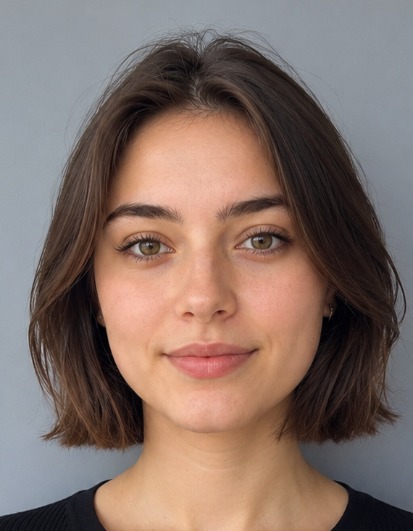
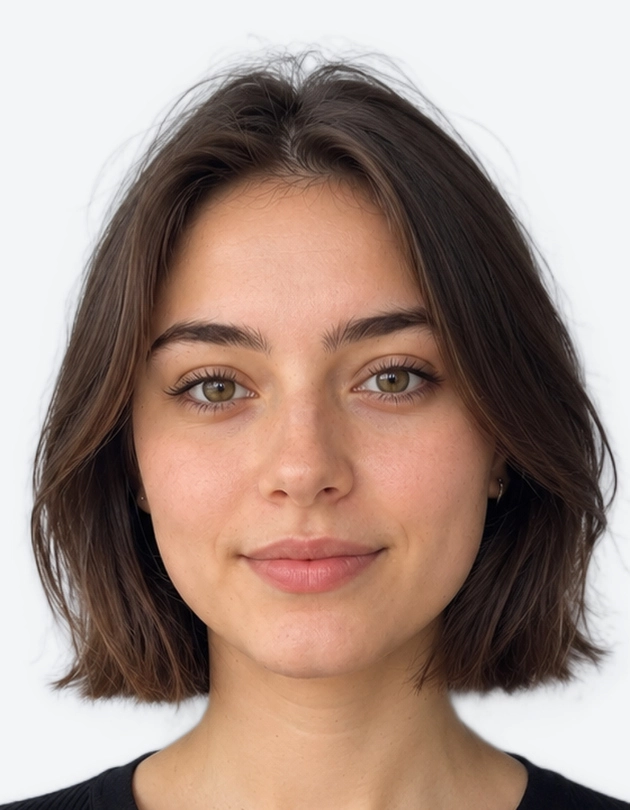
Need passport photos in London today? You do not have to queue at a booth or book a studio. Our online passport photo maker turns a phone photo into a compliant UK passport photo in minutes.
A photo that breaks HM Passport Office photo rules delays your application. Common problems include a patterned background, poor lighting and an incorrect head size. Our tool removes that risk. It crops, resizes and checks your photo automatically, so you can apply with confidence, whether you live in Camden, Croydon or anywhere in between.
How to Make a Passport Photo in London Online
You need three quick steps and about one minute. Stand in front of a plain wall in good daylight, and let the tool handle the rest.
Step 1: Upload or Take Your Photo
Take a new photo with your phone camera, or upload a recent portrait from your gallery. Follow these tips for the best result:
- Face the camera straight on, with your head level.
- Keep a neutral expression and your mouth closed.
- Stand in soft, even light with no shadows on your face.
- Keep your eyes open and your hair off your face.
- Ask someone else to take the photo at eye level, about an arm's length away. HM Passport Office does not accept selfies taken at arm's length.
Accepted formats: JPG, PNG and HEIC
Upload your photo as a JPG, PNG or HEIC file. HEIC is the default format on many iPhones, so you can upload straight from your camera roll without converting it first. Choose a sharp, high-resolution image for the cleanest crop.
Step 2: Auto-Crop to the 35 x 45 mm UK Size
Our tool then does the technical work for you. It will:
- Crop your image to the official 35 x 45 mm UK passport size.
- Replace your background with a plain light grey shade.
- Position your head so the chin-to-crown height sits within 29–34 mm.
- Centre your face and keep your shoulders in frame.
You get a precise, biometric-ready result without a ruler or photo editing software. Applying for a baby or young child? Read our UK child passport photo guide first, because the rules on expression and eyes are different.
Step 3: Download Your Photo
Preview the result, then download it. Use the digital file for an online gov.uk application, or print it for a paper form. Before you submit, check that your photo:
- shows a neutral expression and both eyes clearly;
- has no glasses, hats or heavy shadows;
- is in colour, with no filters or edits;
- is recent and looks like you today.
Not sure about a photo you already have? Run it through our free UK passport photo checker before you apply.
Digital file and printable sheet options
Choose the format that fits your application:
- Digital file: a JPEG made for online upload. The gov.uk service asks for at least 600 x 750 pixels.
- Printable sheet: a print-ready layout with several photos on one sheet. Paper applications need two identical photos, so this saves time.
Print your sheet at a local shop on proper photo paper. Plain paper from a home inkjet printer is not accepted.
London Passport Photo Options Compared
You have several ways to get passport pictures in London. Each option has its own strengths, so pick the one that suits your schedule and budget.
Photo Booths, Shops and Studios vs Online
A passport photo shop in London gives you a photographer who takes the photo for you. A passport photo studio in London may offer extra help, such as retakes and printing. Photo booths in post offices and chemists offer quick, standard prints. Online tools let you handle everything at home.
Here is how the main options compare:
| Feature | Photo Booth | Shop or Studio | Online Maker |
|---|---|---|---|
| Waiting time | Minutes, plus travel | 10–30 minutes, plus travel | Under 1 minute |
| Travel needed | Yes | Yes | No |
| Digital photo included | Sometimes | Sometimes | Yes |
| Retakes | Limited | Usually available | Unlimited |
| Open hours | Store hours | Store hours | 24/7 |
| Compliance check | Basic | Varies | Built in |
Compare cost and waiting time
Prices vary across London. A booth in Central London often costs more than one in an outer borough, and studios may charge extra for retakes or digital copies. Ask what the price includes before you pay, and check whether the shop confirms compliance with HM Passport Office rules.
Waiting time matters too. Travelling to a shop, queuing and printing can take an hour or more. An online maker removes the journey, so you keep control of your day. If you need a physical copy, you can print your photo sheet at any local print shop.
Urgent Passport Appointments in London
If you need a passport quickly, HM Passport Office runs a London passport office for its urgent passport services. Fast Track appointments use a paper application, so bring two identical printed photos that meet the 35 x 45 mm rules. A rejected photo at the counter can cost you the appointment, so check your prints before you travel.
London Visa Photo Size and Requirements
Visa application centres in London, run by providers such as VFS Global and TLScontact, check photos as strictly as the passport office does.
Visa photo size in London
The London visa photo size depends on the country you apply to. Use this quick guide, then confirm with the official source:
- UK visa photos: usually 35 x 45 mm, the same as a passport photo.
- Schengen visa photos: usually 35 x 45 mm, with a plain light background.
- US visa photos: 2 x 2 inches (51 x 51 mm), which is a different format.
Because rules change, always read the embassy or visa centre instructions before you print.
What a London visa centre expects
A London visa picture must meet strict standards, just like a passport photo. Most visa centres expect the following:
- A recent photo, taken within the last six months.
- A plain, light background with no patterns or shadows.
- A neutral expression, with your eyes open and your face fully visible.
- No glasses, hats or tinted lenses, apart from religious or medical exceptions.
- A sharp, high-quality image with correct size and head position.
Your visa photo may not match your passport photo requirements exactly. For example, some countries want a white background, while the UK passport office asks for light grey or cream. Check the requirements for your destination, then choose the matching size and background in the tool.
Why Make Your Passport Photo Online Instead?
Our tool takes the stress out of passport pictures. You save time, avoid rejections and keep full control of the result. It works for adults and children alike, and you can use it on any phone, tablet or computer.
Faster Than a London Queue
London life is busy. You might spend half your lunch break travelling to a booth and waiting in line. With our tool, you skip all of that.
- Instant results: get your photo in under a minute.
- Open 24/7: make your photo at midnight or on a Sunday morning.
- Unlimited retakes: try again until you like the result.
- No travel: save money on transport and time on the road.
The tool also helps you avoid the most common rejection reasons: a patterned or dark background, glasses, a wrongly sized head and poor lighting.
Digital and Print in One
One upload gives you everything you need: a digital passport photo for gov.uk, and a printable sheet for paper forms or visa centres. There is no need to book separate services or pay for extras. The same photo also works for a UK driving licence, and our UK passport size photo maker covers 15 other UK documents, from Railcards to Oyster photocards.
Follow the official rules when you apply:
- Online application: upload the digital JPEG through the gov.uk service. It runs an automatic check on your photo.
- Paper application: attach two identical printed photos. Ask a countersignatory to sign the back of one, if your application requires it.
Always confirm the latest requirements on the official gov.uk website before you apply, because HM Passport Office guidance can change.
Ready to start? Use the tool above to create your compliant photo now, and finish your application without leaving home.