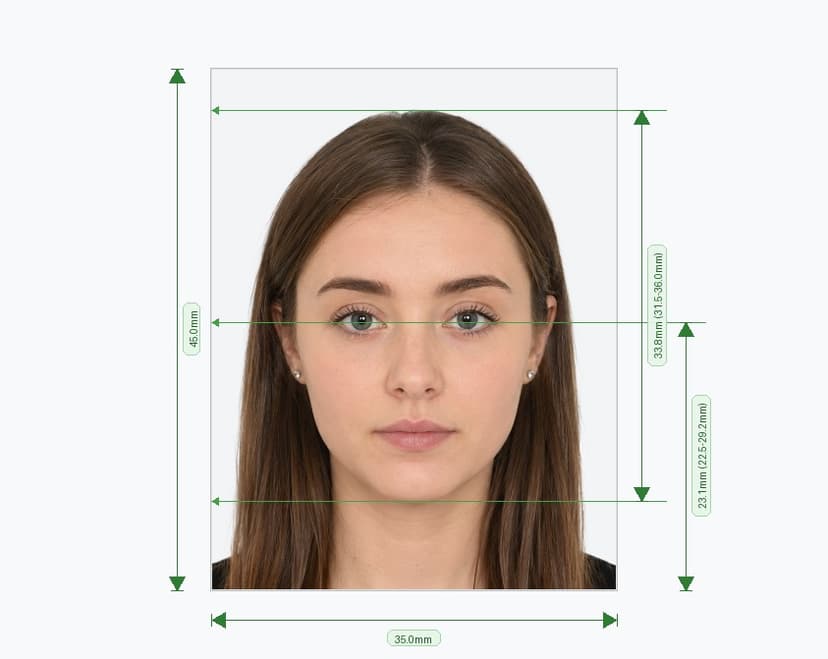
India e-Visa Photo Requirements (2026) — Official Bureau of Immigration Guidelines
India runs its e-Visa system through one official portal: indianvisaonline.gov.in, managed by the Bureau of Immigration under the Ministry of Home Affairs. The portal covers e-Tourist, e-Business, e-Medical, e-Student, e-Transit, and e-Conference visas, and it checks every uploaded photo automatically. A photo that fails this check triggers an instant rejection alert and stops your application. This page lists the exact specifications published on the official portal and its photo guidelines document (VSS_IMAGE.pdf), so you can upload a compliant photo on the first try.
India e-Visa — Official Photo Specifications
Core Requirements at a Glance
Follow every point below exactly as published by the Bureau of Immigration. Skipping even one item can trigger an automated rejection.
Rules You Need to Understand Before You Upload
Use a Square Photo, Not the New Passport Format
India updated its passport photo standard to a rectangular 35×45 mm ICAO portrait in September 2025, but the e-Visa portal did not follow that change. It still requires a square photo between 350×350 px and 1000×1000 px, saved as JPEG between 10 KB and 1 MB. Do not reuse your passport photo for your e-Visa application — the portal's automated check rejects any image that isn't square.
Remove Your Glasses
The official portal instructs applicants to submit the photo without spectacles, and this rule applies to every e-Visa category. Take off prescription glasses, reading glasses, sunglasses, and tinted lenses before the photo is taken. This differs from some other countries' visa rules, so double-check even if you've applied elsewhere before.
Skip the Selfie
Ask someone else to take your photo. The portal's guidelines flag selfies because front-facing phone cameras distort facial proportions and often frame the face off-center. Stand in front of a plain white wall, have the photographer hold the camera at eye level about 50 cm away, and take a few shots so you can pick the clearest one.
Set Up a Clean Background
Choose a plain white or light-colored wall with no patterns, marks, or shadows. Avoid wearing white or very pale clothing, since it can blend into the background and confuse the automated check. Make sure both your face and shoulders stand out clearly against the backdrop.
Submit the Photo Exactly as Captured
Leave the image unedited. The portal rejects photos with beauty filters, skin smoothing, background swaps, or AI enhancements. Correct red-eye by retaking the photo with better lighting, not by editing it. Use even, diffuse light so you avoid hotspots on your forehead or shadows under your chin.
Upload Your Passport Page Separately
Every e-Visa application also asks for a scanned copy of your passport's biodata page, submitted as a separate PDF between 10 KB and 300 KB. This file is reviewed independently from your photo, so label both files clearly and upload each one into its correct field. Mixing them up causes an immediate rejection.
e-Visa Photo vs. Regular Sticker Visa Photo
- e-Visa (all categories): Square JPEG, 350–1000 px, 10 KB to 1 MB, uploaded online only — no printed copy needed.
- Regular sticker visa (VFS Global / BLS International): Same digital square JPEG specification, plus a physical 51×51 mm printed photo attached to the paper form.
- OCI Card application: Square JPEG, 200–900 px, under 200 KB, with print requirements that vary by application type.
The e-Visa process stays fully digital. Once you upload one compliant JPEG through the official portal, you receive your Electronic Travel Authorization by email within the standard processing window, with no printed photo required. A regular sticker visa, by contrast, needs both the digital upload and a matching 51×51 mm printed photo attached to your paper application.
Final Checklist Before You Upload
- File saved as JPEG, not PNG or HEIC
- File size between 10 KB and 1 MB
- Photo cropped into a perfect square
- Resolution between 350×350 px and 1000×1000 px
- No glasses in the photo
- Photo taken by another person, not a selfie
- Plain white or light background with no shadows
- No border around the photo
- Neutral expression, eyes open, mouth closed
- No filters, retouching, or background editing
- Photo taken within the last 6 months
- Passport biodata page uploaded as a separate PDF, 10 KB to 300 KB
Apply Only Through the Official Portal
The Bureau of Immigration confirms that indianvisaonline.gov.in is the only official website for India e-Visa applications. The government offers no emergency or express processing through third-party sites, so never share your personal or payment details anywhere else. If your photo fails the automated check, the portal notifies you by email and lets you re-upload a corrected image before it makes a final decision on your application.