Every American visa application lives or dies on one small detail: the photo. Consular officers reject a large share of DS-160 submissions because the picture does not match the required America visa size photo standard — exactly 2 × 2 inches, on a plain background, with a neutral expression. Our tool fixes that in under ten seconds.
Upload a selfie, and the AI resizes your photo, centers your head, and replaces the background with pure white so it matches the exact American visa photo size the State Department publishes. You skip the pharmacy line, the booth fee, and the risk of a second visit because the first print didn't pass.
This page covers the exact America visa photo size, a step-by-step home photography guide, the digital upload specs for the DS-160 form, and the mistakes that cause the most rejections — so you can format your photo once and get it right the first time.
What Size Is an America Visa Photo?
The US ds-160 visa photo size is 2 × 2 inches (51 × 51 mm), and it applies to every nonimmigrant and immigrant visa category. Your head must measure 1 to 1 3/8 inches from chin to crown, which keeps your face between roughly 50% and 69% of the frame. For the online DS-160 form, the digital photo needs to be 600 × 600 pixels, saved as a JPEG under 240 KB.
This is the same specification used for a US passport photo, a green card photo, and most immigration forms, so one correctly sized photo often covers several applications at once.
Beyond the raw measurements, the photo also has to satisfy a short checklist: full color with no filters, a neutral expression with both eyes open, daily clothing rather than a uniform, and no head covering unless you wear one daily for religious reasons. Get any one of these wrong, and the review still fails even if the dimensions are perfect.
What a Compliant Photo Looks Like
Seeing the difference is faster than reading about it. Compare a compliant shot against the most common rejection causes before you upload your own photo.
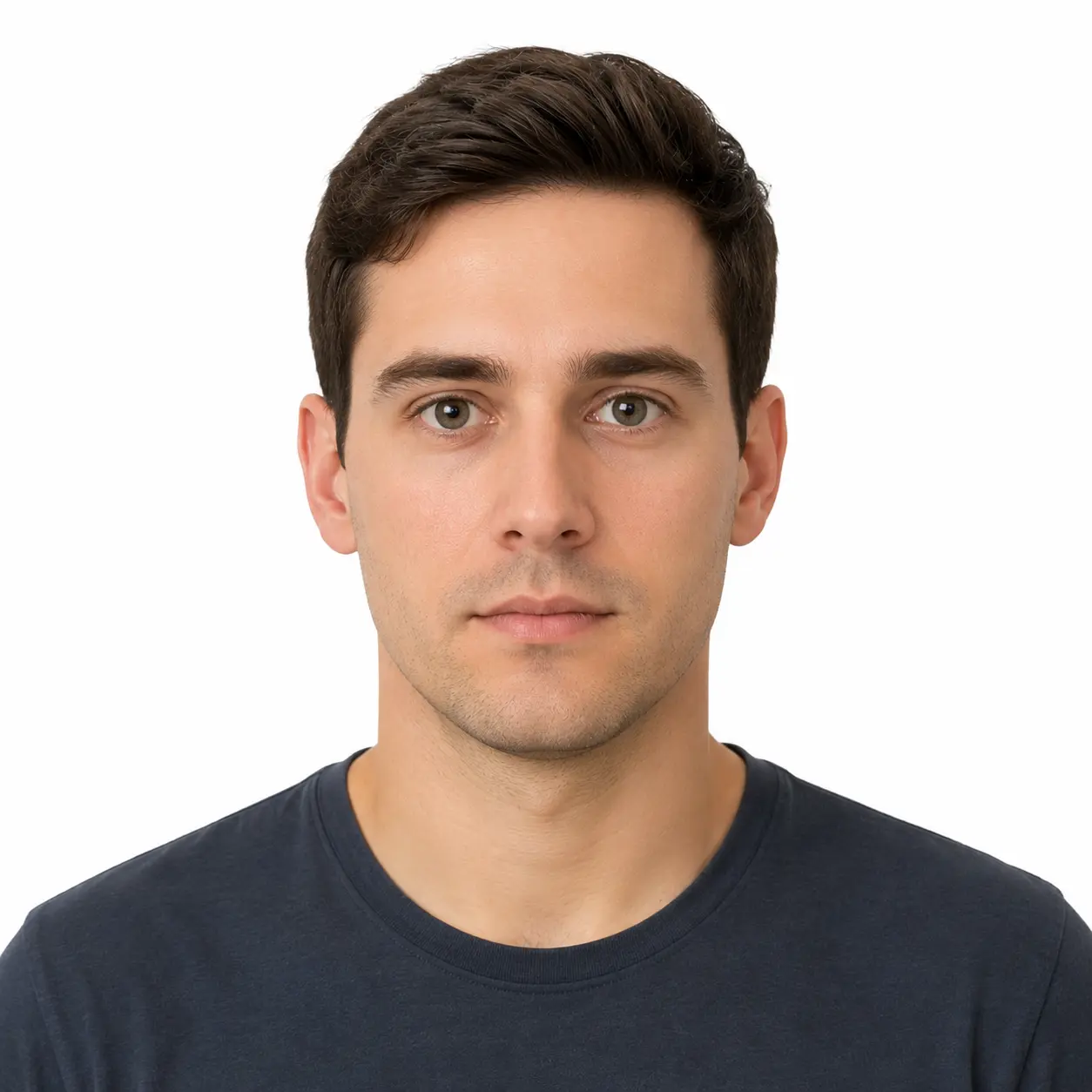
Compliant example
Neutral face, white background, correct head size
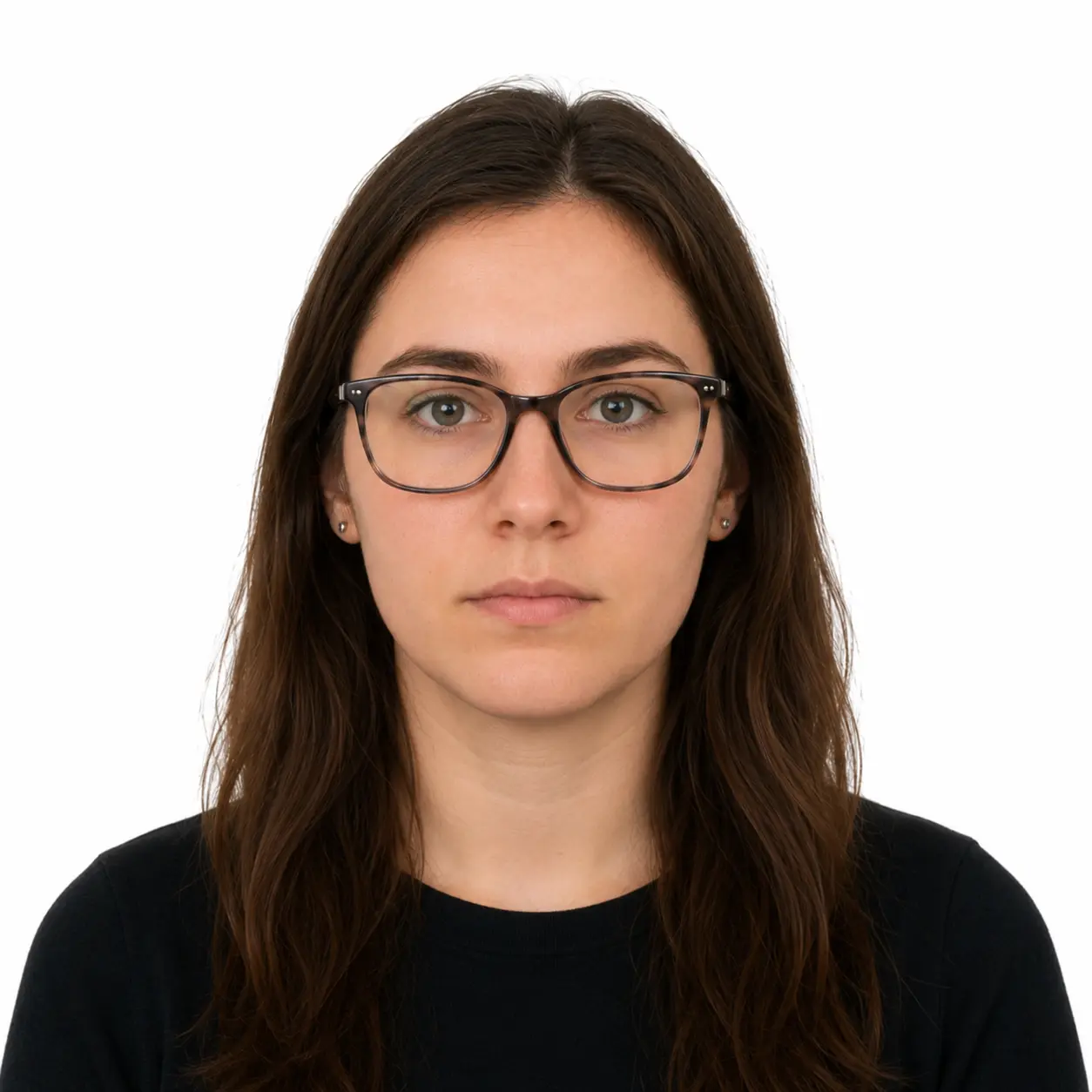
Glasses worn
Eyewear is not accepted, even with light frames
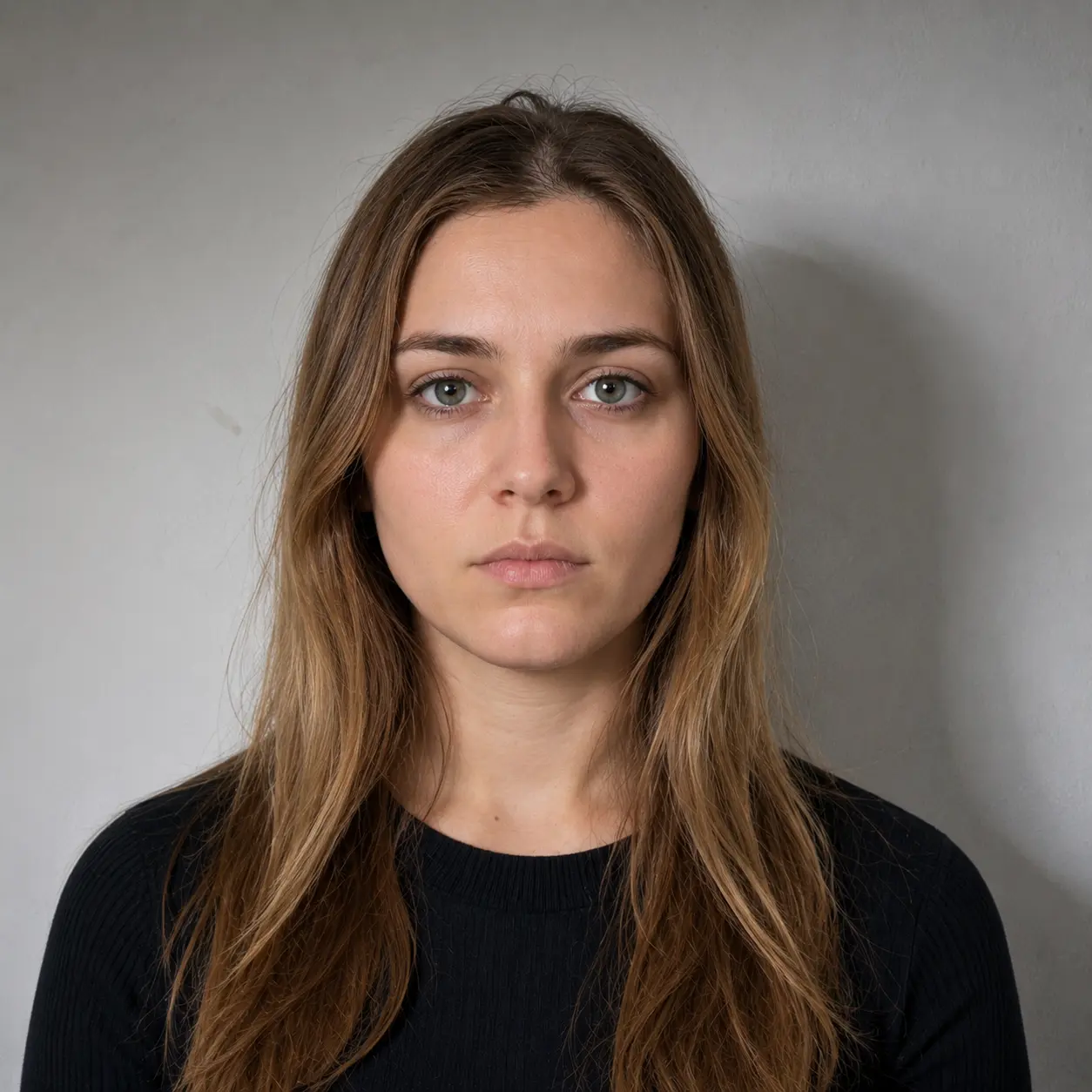
Shadowed background
Uneven lighting creates a gray or textured backdrop
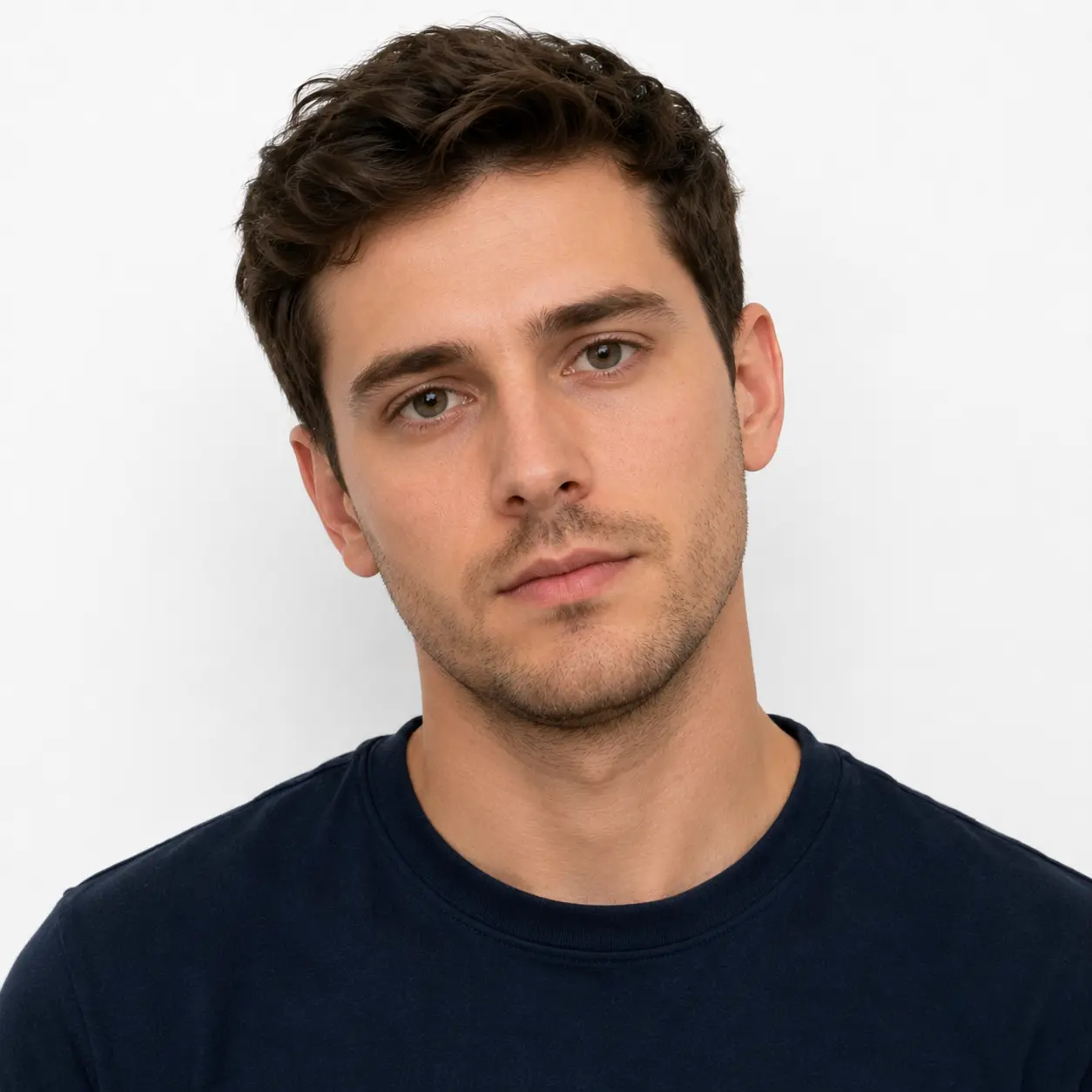
Head tilted
Face must point straight at the camera
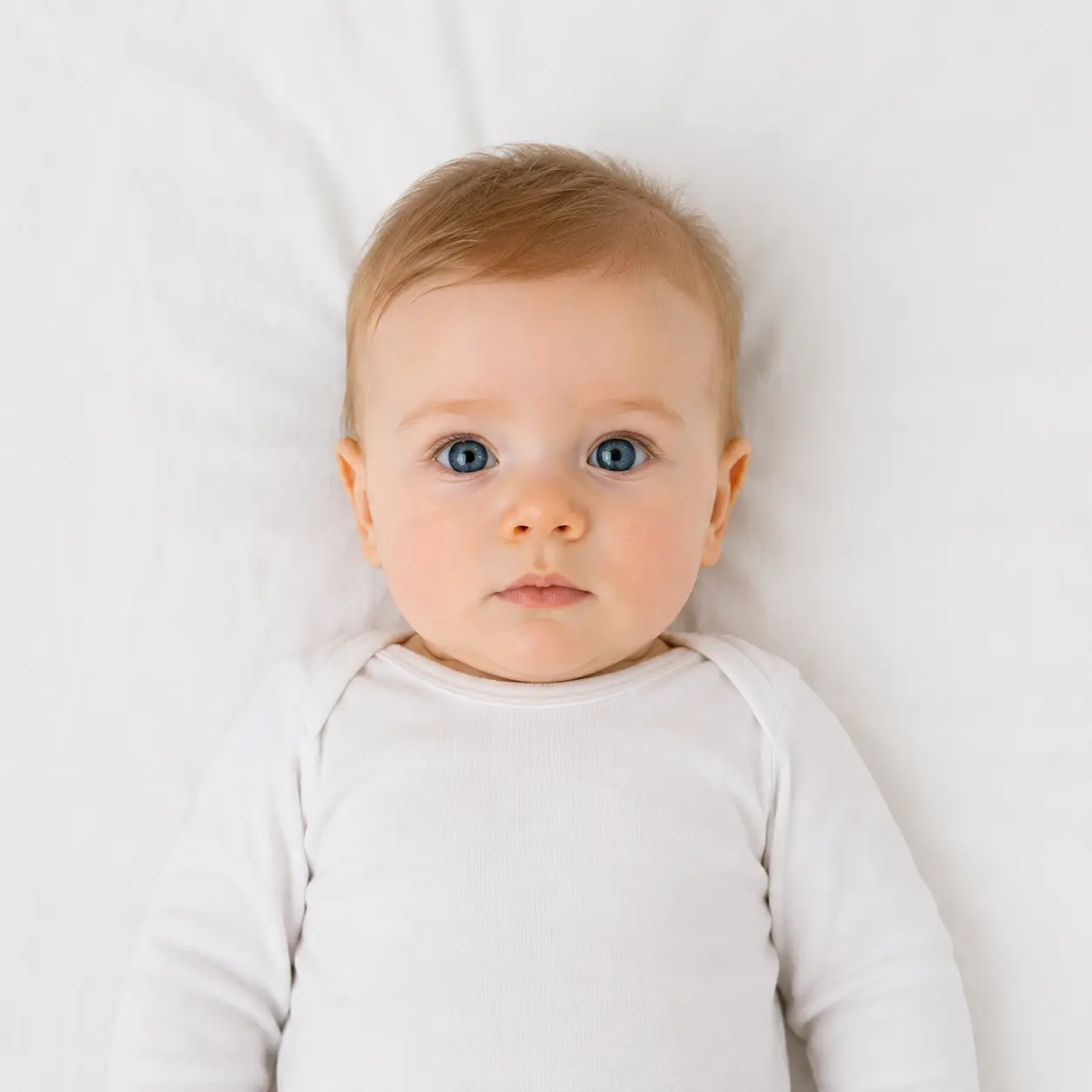
Infant example
Baby laid flat on a white sheet, photographed from above
How to Take Your Own America Visa Photo at Home
Set up your background
Stand 3–4 feet from a plain white or off-white wall, with soft daylight coming from in front of you.
Take the photo
Face the camera directly, keep a neutral expression, and remove glasses, hats, and headphones.
Upload and download
Our tool crops, centers, and formats the photo to 2 × 2 inches, then hands you a print-ready or digital file.
Common Reasons America Visa Photos Get Rejected
✓What consular officers expect
- A photo taken within the last six months
- Full color, with no filters or retouching
- Both eyes open and visible, mouth closed
✗What causes an automatic rejection
- Eyeglasses, shadows, or a busy background
- A smile, tilted head, or off-center framing
- A photo of a printed photo instead of an original digital file
DS-160 Photo Requirements for Digital Upload
If you apply online, the embassy website only accepts a JPEG file that is exactly 600 × 600 pixels and under 240 KB. Scanned prints need a resolution of at least 300 pixels per inch. Our tool exports a file that already matches these DS-160 photo requirements, so you can upload it straight into your application without resizing it yourself.
America Visa Photos for Infants and Toddlers
Every visa applicant needs a compliant photo, including newborns. Lay your baby on their back on a plain white sheet and photograph them from directly above, or drape a white sheet over a car seat and shoot from the front. Keep the baby's eyes open, avoid shadows, and make sure no other person or object appears in the frame.
How Much Does an America Visa Photo Cost?
Pharmacies such as CVS and Walgreens typically charge $10 to $16 for a printed 2 × 2 photo. Shipping centers like FedEx and UPS charge a similar amount, and dedicated photo studios often ask $15 to $25 because they include retouching you don't actually need for a visa photo.
Formatting your own photo online removes that cost. Preview and adjust your crop for free, and only pay when you're ready to download the digital file or order a print, so you never pay twice for a photo that gets rejected.
Prefer Not to DIY? Where to Get a Visa Photo Near You
If you'd rather not photograph yourself, several everyday stops double as photo counters. Each option below understands the America visa size photo standard, so you can walk in and out in minutes.
Pharmacies
CVS, Walgreens, and Rite Aid all offer walk-in visa and passport photo counters in most locations.
Shipping centers
FedEx Office and UPS Store staff print and format visa photos while you handle other errands.
Retail stores
Photo desks at Walmart and Costco are a budget-friendly option in cities like New York, Chicago, and Los Angeles.
Frequently Asked Questions
What is the official America visa size photo?+
Every US visa application, including the DS-160 online form, requires a photo that is exactly 2 x 2 inches (51 x 51 mm), with your head measuring 1 to 1 3/8 inches from chin to crown. Digital uploads must be 600 x 600 pixels on a plain white or off-white background.
Can I reuse my passport photo for my visa application?+
Yes, in most cases. US passport and US visa photos share the same 2x2 inch specification, so a photo that passes one will usually pass the other. Just confirm the photo is less than six months old before you submit it.
Can I wear glasses in a US visa photo?+
No. The State Department has banned eyeglasses in visa and passport photos since 2016, except with a signed doctor's note confirming a recent eye surgery. Remove glasses, hats, and headphones before you take the shot.
How much does a visa photo cost near me?+
Pharmacies and shipping centers typically charge $10 to $16 per printed photo. Taking your own photo at home and formatting it with our tool costs nothing for the preview, so you only pay if you want a print-ready or digital download.
What happens if my visa photo gets rejected at the embassy?+
A rejected photo delays your interview or online submission until you resubmit a compliant one. Our tool checks size, background, and head position automatically before you download, which removes the most common rejection causes.
Is the online america visa photo maker really free?+
Yes. Uploading, cropping, and previewing your photo costs nothing. You can adjust and reprocess as many times as you need before deciding whether to download or order a print.
Is an America visa photo different from a passport photo?+
The size and composition rules are identical — 2 x 2 inches, plain background, neutral expression. The only real difference is where you submit the file: visa photos usually upload directly into the DS-160 form, while passport photos get mailed with a paper application or handed over at renewal.
Can I reuse an old photo for a visa renewal?+
Only if it was taken within the last six months and your appearance hasn't changed significantly. Major surgery, a large weight change, or new large piercings and tattoos all require a fresh photo, while normal aging or a new haircut do not.